The same work gets repeated
When everyone solves the same problems on their own, the hours add up. New hires often have to start from scratch as well.

Grove brings your team's AI conversations, knowledge, templates and working files into one department workspace. Deploy it in your data center or a dedicated cloud environment, with access controls, audit records and scheduled agents built in.
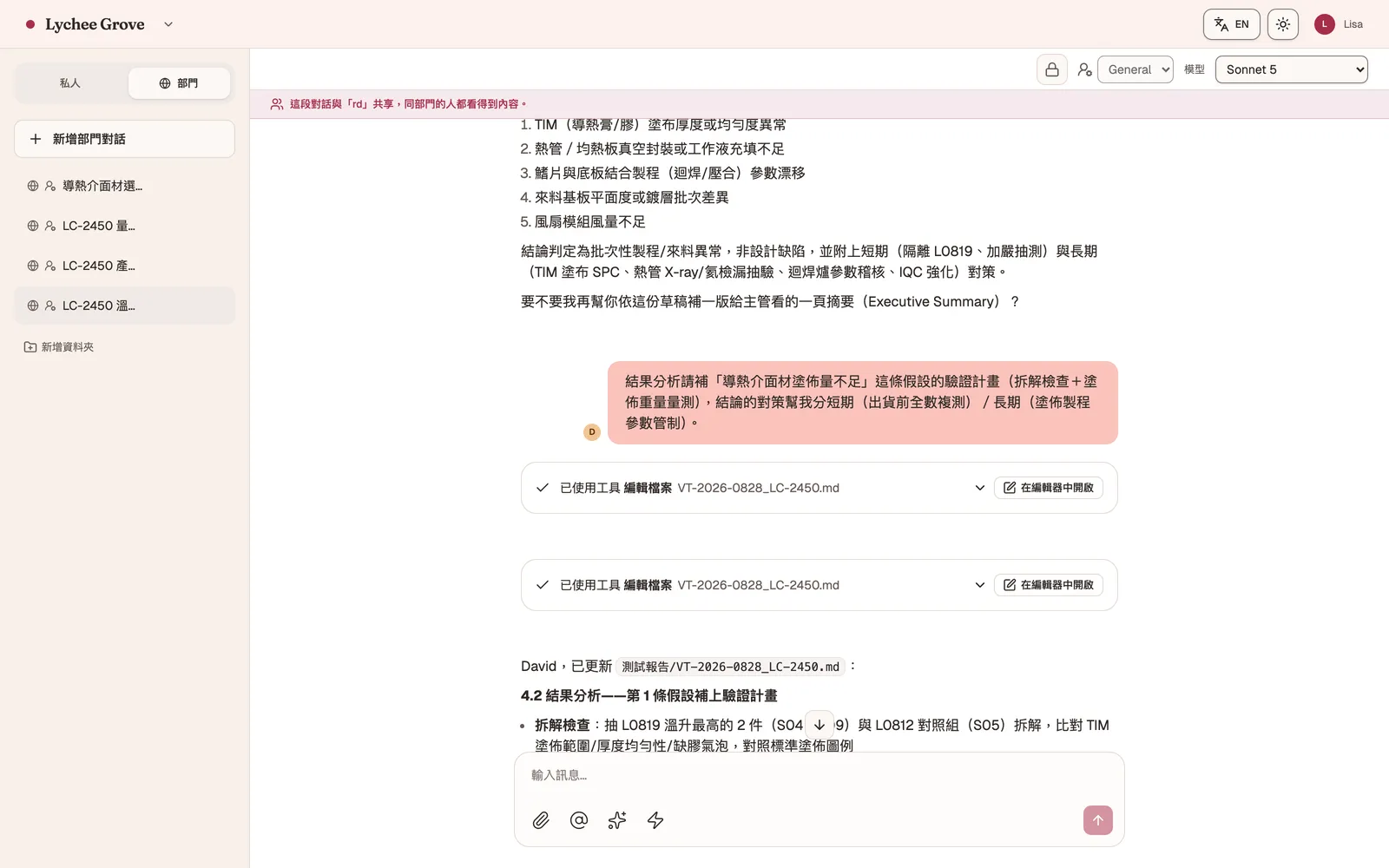
Interface shown in Traditional Chinese; English is available from the in-app language switcher.
Employees already use tools like ChatGPT for everyday work, but the conversations, templates and experience often stay in personal accounts. Grove gives the team a place to share, retain and manage what they learn.
When everyone solves the same problems on their own, the hours add up. New hires often have to start from scratch as well.
Important decisions often depend on years of experience. Turning those standards into repeatable workflows makes them easier to teach and apply consistently.
Internal terminology, report formats and customer requirements differ from one company to another. AI needs that context to produce work your team can actually use.
Grove offers a familiar chat experience while keeping templates, files and workflows in a shared department workspace. AI can work directly with those files, while access controls and audit records give IT the oversight it needs.
Turn proven prompts and workflows into shared templates. Company terminology, report formats and decision criteria become a knowledge base that helps AI work the way your team does. Our engineers help set it up during implementation.
Conversations can be shared within a department. Teammates see the full context and can continue the same thread, so both the discussion and the result stay with the team.
AI can read and edit files in a shared team workspace, including cell-level Excel changes, Markdown documents, presentations and boards. The result is a usable deliverable, not text to copy and paste.
Weekly reports, data summaries and routine checks can run on a schedule. Results return to the team conversation automatically, with notifications when the work is complete.
Each department has its own workspace and data boundary, with administrator and member roles controlling access. Every request and tool action is recorded for security reviews and later investigation.
Grove can run in your data center or on dedicated infrastructure. Your company manages the templates, knowledge base, conversations and files, while choosing cloud API, hybrid or fully on-premises inference.
These four common workflows use fictional demo data. Select a tab to change the screen.
Colleagues can see the full exchange with AI and continue the same thread. It is always clear who asked a question and who the AI is responding to.
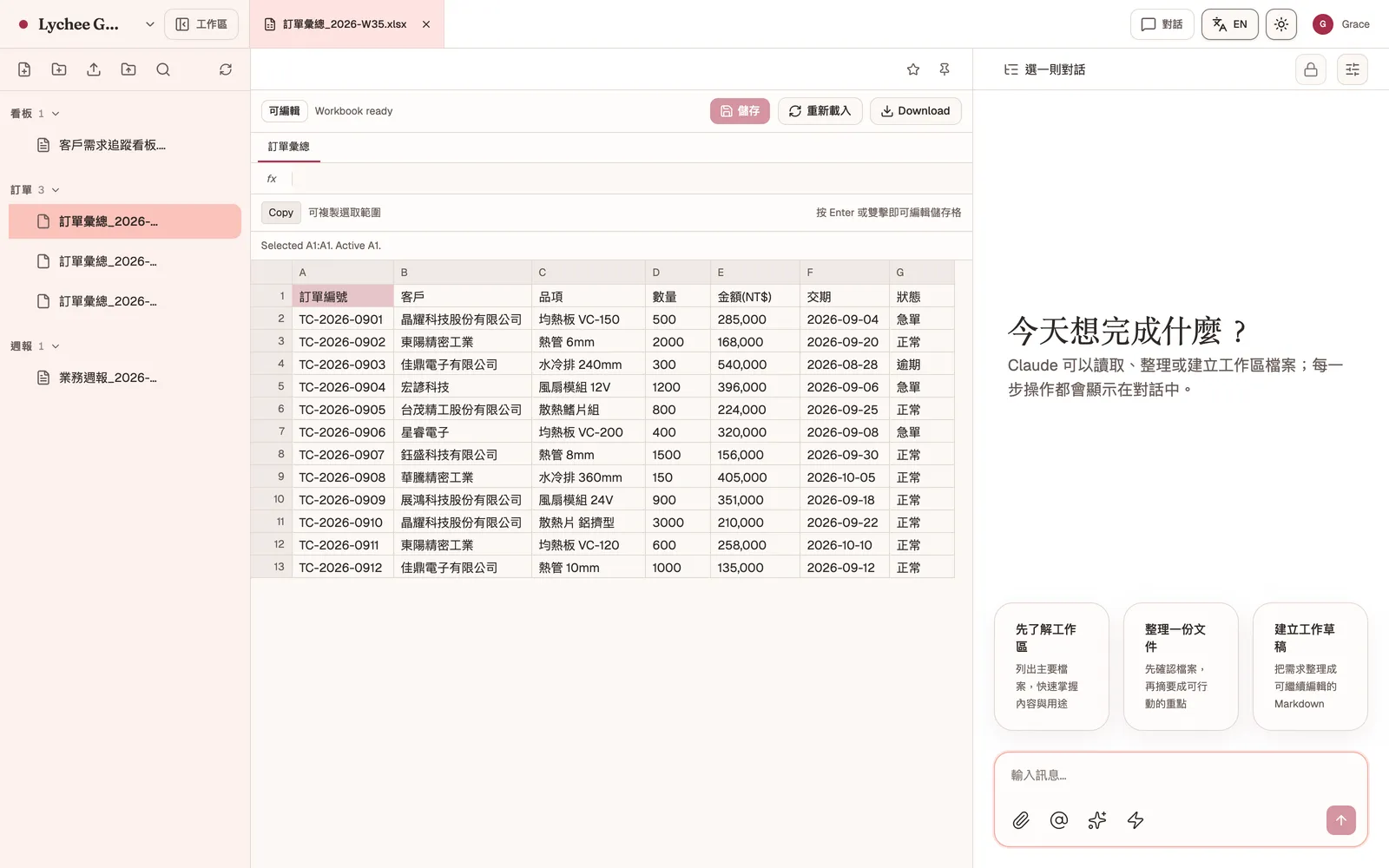
AI can read and edit files in the shared workspace. Excel files open in the browser for cell-level editing and download, while documents, presentations and boards stay in the same place.
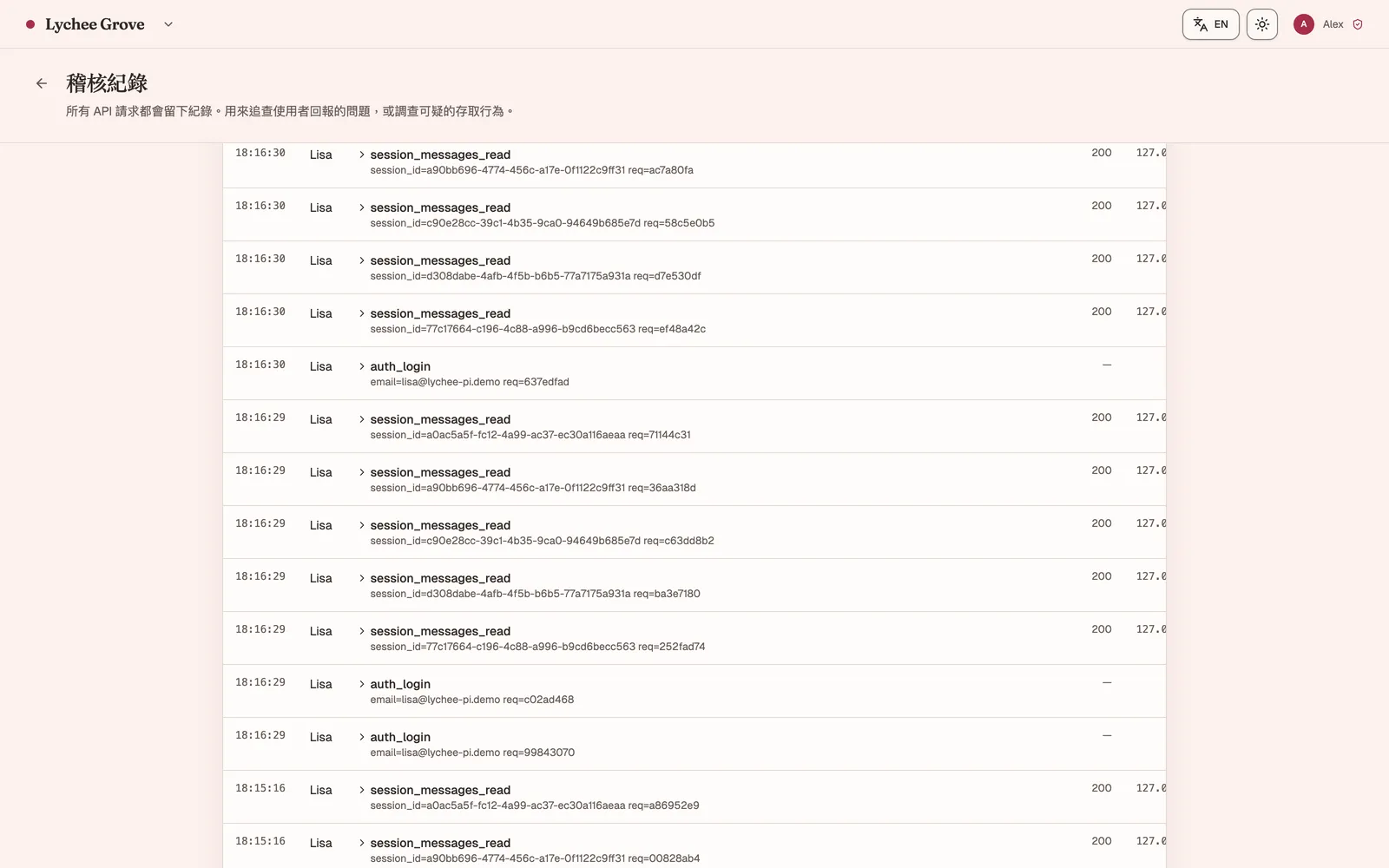
Sign-ins, shared conversations, AI tool actions and file access appear on a single timeline. Administrators can filter by user and review monthly usage reports.
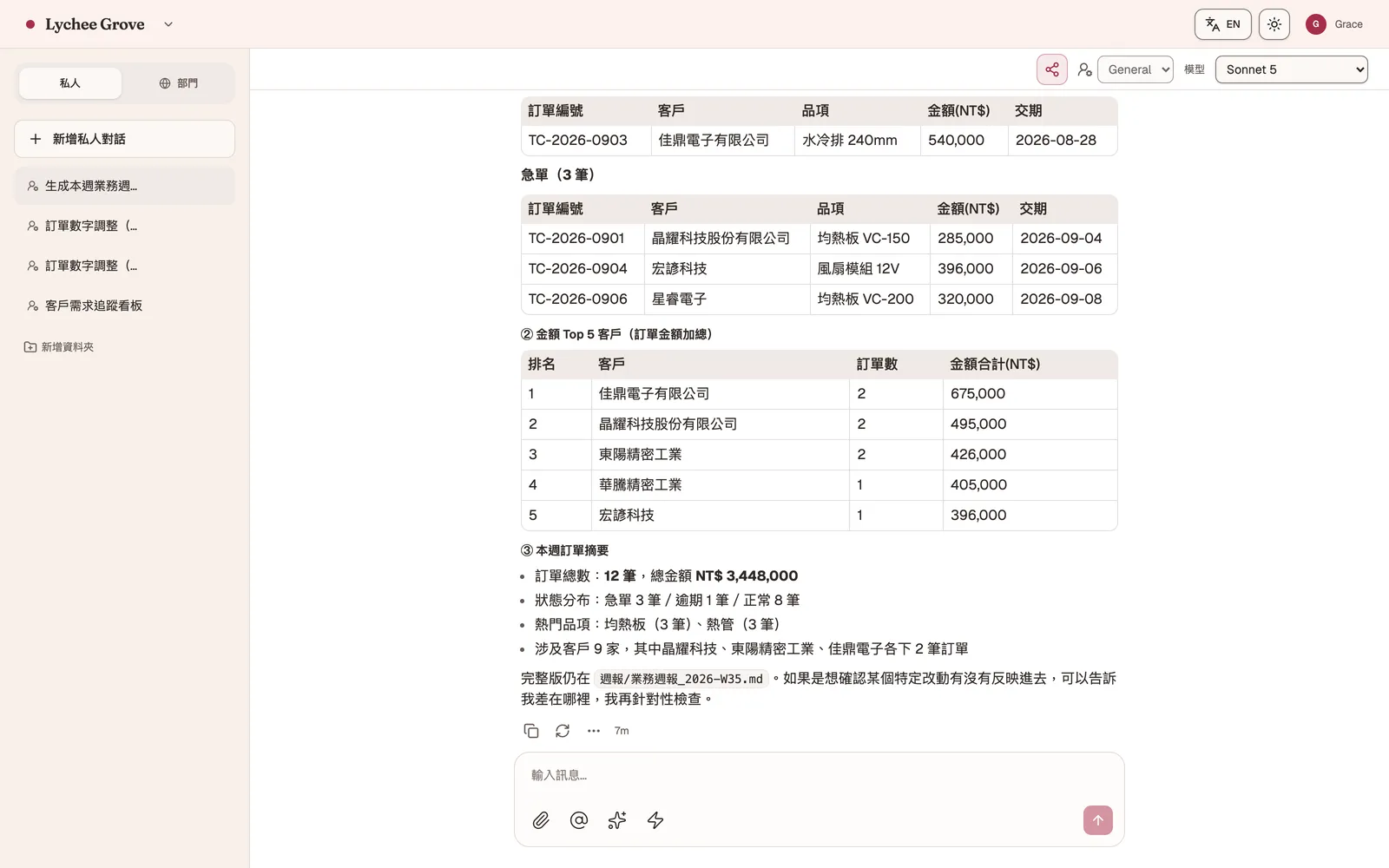
Routine reports, data summaries and regular checks can run on a schedule. Each result is added to the same conversation, while the complete file is saved to the workspace.
Engineers provide the source data and Grove prepares a draft using the company template. Scheduled agents can also compile weekly summaries, leaving the team more time for analysis and decisions.
Bring scattered files into the team workspace, then use AI to compare, organize and turn them into summaries or presentations. Teammates can continue the same conversation, and the finished files stay in the workspace.
Team files, conversations, attachments and audit records stay in the environment your company chooses, under your own backup and retention policies. You can then select an inference architecture based on data sensitivity and security requirements.
Use enterprise cloud model APIs
Best forMost business workflows
Route requests by data sensitivity
Best forOrganizations with data classification policies
Run inference on an internal GPU server
Best forClosed networks and highly regulated environments
Cloud inference can connect to enterprise APIs from Anthropic (Claude) or OpenAI, subject to each provider's commercial terms. For hybrid and fully on-premises deployments, we can help plan the model server and GPU hardware together.
Grove gives departments a shared, managed workspace. Personal AI accounts leave conversations, knowledge, files and costs spread across individual users.
We identify workflows with clear value, such as recurring reports or data summaries, then test them on a small scale using real company data.
We install Grove in your data center or on dedicated infrastructure, then configure departments, accounts and permissions. Files and records stay in the location your company chooses.
Once a workflow is proven, it becomes part of the team’s day-to-day work. Additional departments can be added as needed, and eligible PoC fees can be credited toward full deployment.
2016founded
Experience building systems for financial and insurance companies
3Taiwan patents
Product development and systems integration expertise
3deployment architectures
Cloud API / hybrid / fully on-premises
A grove is a group of trees growing together. Each tree has its own roots, but they share the same ground.
Everyone on a team can use AI independently. When conversations, knowledge, tools and workflows live in one shared workspace, individual productivity begins to grow into a lasting company capability.
Tell us what your team wants to improve. We will help you scope a small PoC and test the value in real work.